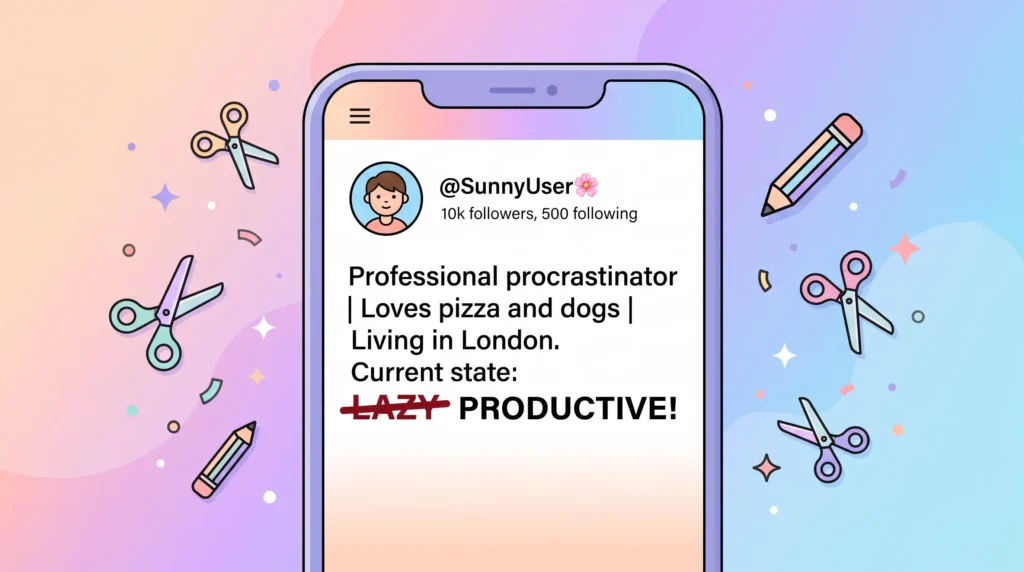
A strikethrough text generator lets you cross out a word or an entire sentence without touching Photoshop or any design app, since it works by pairing ordinary letters with a Unicode character that draws a line straight through each one. The result is still plain text underneath, which means you can copy and paste it into a text message, a caption, or a game chat box just like normal writing. This guide covers where the style renders cleanly, how the underlying Unicode trick actually works, and what to do if a symbol looks off in a specific app.
Table of Contents
What Is a Strikethrough Text Generator, Anyway?
If you have ever seen someone post a caption like “I’m totally fine” with a line drawn straight through the word “fine,” you have seen strikethrough text in action. It is one of the simplest ways to add a little personality, sarcasm, or visual punch to an otherwise plain sentence, and you do not need Photoshop or a design app to pull it off. A strikethrough text generator does the work for you by combining ordinary letters with a special Unicode character that draws a horizontal line right through each one, which is exactly why a strikethrough text generator works everywhere plain text does.
The neat part is that the result is not an image or a font file. It is still plain text underneath, which means you can copy it and paste it almost anywhere: a text message, a spreadsheet cell, a game chat box. The line just happens to be baked into the characters themselves.
Where Strikethrough Text Actually Shows Up Correctly
Because this trick relies on how different apps render Unicode, results can vary a bit depending on where you paste it. In general, strikethrough text displays cleanly in these places:, a useful shortlist before relying on a strikethrough text generator for something important.
- Instagram captions, bios, and comments
- Twitter/X posts and display names
- TikTok captions and profile bios
- Discord messages, nicknames, and server names
- Facebook posts, comments, and Messenger chats
- Most modern note-taking and messaging apps
A handful of older or more locked-down apps may show tiny boxes or missing glyphs instead of a clean strike, but the vast majority of platforms people use every day render it exactly as intended.
How to Generate Strikethrough Text in Under 10 Seconds
You do not need to memorize any codes or symbols. Just type your sentence into a strikethrough text generator, watch the preview update instantly as you type, and tap the copy button. From there, paste it wherever you want the crossed-out effect to appear. There is no sign-up, no app download, and no character limit that would stop you from converting a full paragraph if you wanted to, part of why a strikethrough text generator feels instant rather than fiddly.
Creative Ways People Actually Use Strikethrough Text
Strikethrough works so well because it visually acts out the idea of “correcting yourself” in real time, which makes it a surprisingly versatile little tool. Some of the most common uses include:
- Crossing out a fake original price next to a discounted one, for sellers on Depop, Etsy, or Facebook Marketplace
- Writing a joke where the crossed-out word reveals what you really meant, like “I love working out sleeping”
- Adding self-deprecating humor to a bio, such as “professional adult responsible person”
- Simulating a redacted or censored look in storytelling posts and fictional “leaked document” content
- Making gaming usernames or clan tags stand out with a scratched-through visual effect
It pairs especially well with other stylized text tricks. Plenty of creators layer a crossed-out word next to eerie, glitchy lettering from a zalgo text generator for a more dramatic, “corrupted” caption effect, or flip a whole sentence with an upside down text generator to make a post impossible to scroll past, a detail worth knowing before assuming a strikethrough text generator is broken.
The Unicode Magic Behind the Strikethrough Look
Under the hood, each letter you type gets paired with a combining character that sits on top of it and draws a horizontal line, rather than the letter itself being replaced by a special “struck” version. This category of character is well documented in the Wikipedia entry on combining characters, which explains how these invisible-on-their-own marks attach to whatever letter comes before them. It is the same underlying concept that lets people create fancy cursive, bubble, or underlined text styles, just applied with a different symbol.
Troubleshooting Odd Symbols or Missing Lines
If strikethrough text shows up as little boxes, question marks, or a line that looks slightly off in a specific app, that is almost always a font-rendering quirk on that platform rather than a problem with the text itself. Older Android keyboards and a few niche apps are the most common culprits. If you run into rendering trouble specifically inside Discord, checking Discord’s own support documentation can help clarify what their client currently supports for custom Unicode text in messages and nicknames, the same trick most strikethrough text generator tools quietly rely on.
Combining Strikethrough With Other Small Text Tricks
Strikethrough rarely lives in isolation once people start experimenting. It is common to see it mixed into a longer message alongside small caps, superscript numbers, or other stylized characters for a layered, hand-edited look. If you want to see the fuller range of symbols available for building out a bio or caption piece by piece, the full small text character list is a useful reference for mixing and matching styles until you land on something that feels genuinely yours.
Give Your Words a Little Drama
A single crossed-out word can carry more personality than an entire paragraph of plain text, and that is really the appeal of strikethrough: it is small, fast, and instantly readable as a joke, a correction, or a bit of flair. Pop your sentence into the generator, copy the result, and see how much more your captions and bios start to say between the lines, one more reason a strikethrough text generator pairs so easily with other styles.
Frequently Asked Questions
Is a strikethrough text generator the same as a font?
No. It combines your regular letters with a Unicode combining character that draws the line, rather than swapping in a special font, which is exactly why the result still works as plain, copyable text, a quick fix to try before blaming a strikethrough text generator for rendering issues.
Why does strikethrough text look broken on some devices?
This usually comes down to font rendering on that specific app or device rather than a problem with the text itself. Older Android keyboards and a few niche apps are the most common culprits.
Can I combine strikethrough with other styled text?
Yes, and many people do. Strikethrough pairs well with small caps, superscript numbers, or other stylized characters for a layered, hand-edited look in a longer caption or message.