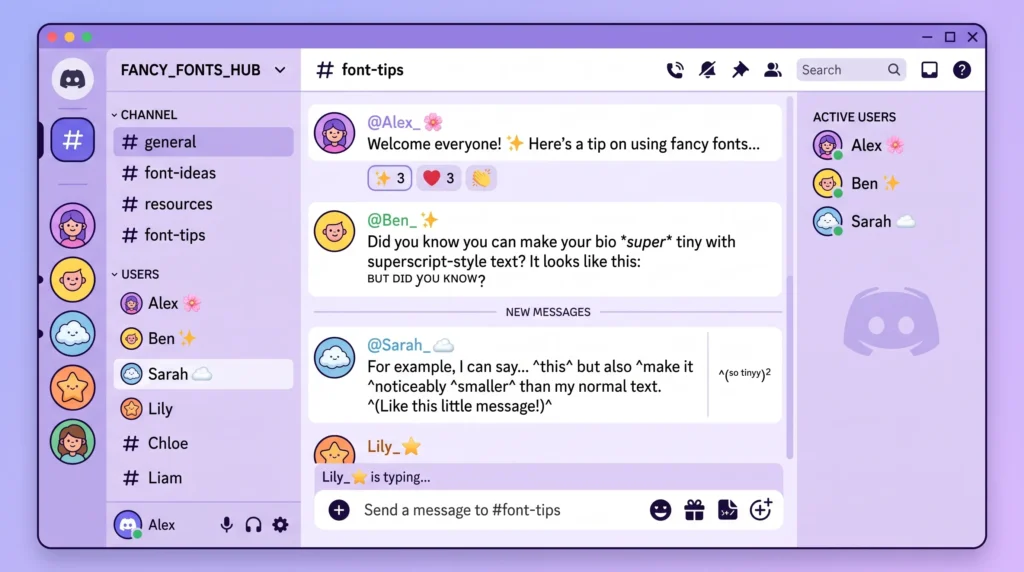
Getting small text in Discord to actually look right takes more than just pasting a random symbol generator’s output. This guide walks through why Discord renders small text the way it does, how to add it without breaking nicknames or messages, and what to do when it shows up as boxes or question marks instead of the tiny characters you expected.
Table of Contents
Why Small Text in Discord Isn’t as Simple as It Looks
Discord doesn’t have a built-in “shrink text” button, which surprises a lot of people the first time they try to make a message look smaller. What actually happens when you see tiny text in a Discord chat is that someone pasted in special Unicode characters that are naturally small, like superscript letters, rather than applying any kind of font-size formatting. Discord just displays whatever Unicode characters you send, so if those characters happen to be tiny by design, the message looks tiny too.
This distinction matters because it explains why small text sometimes looks perfect and other times looks broken, cut off, or replaced with strange boxes. It all comes down to whether Discord’s font, and the recipient’s device font, actually supports the specific small-text characters being used, which is the core reason small text in Discord can look inconsistent across devices.
The Safe Way to Add Small Text
The most reliable method is to generate your small text using a tool built specifically for it, rather than trying to hunt down superscript characters individually. A dedicated tiny text generator converts normal typed text into a matching set of small Unicode characters automatically, so you can type a full sentence and get a small-text version instantly instead of copying single characters one at a time.
Once you have the converted text:
- Copy the small text directly from the generator’s output box.
- Paste it straight into the Discord message box, nickname field, or “About Me” section.
- Send or save as usual — there’s no extra formatting step needed since the characters themselves already look small.
Common Formatting Problems and How to Avoid Them
Text Displaying as Boxes or Question Marks
This usually means the recipient’s device or font doesn’t have full support for the specific Unicode range your small text characters fall into. There’s no fix on your end for someone else’s device, but sticking with the most widely supported small-text style rather than obscure variants reduces how often this happens, which is why testing small text in Discord privately first is a good habit.
Small Text Breaking Discord’s Markdown
Discord supports its own text formatting using symbols like asterisks for bold and italics. Combining that markdown with small-text Unicode characters can sometimes produce unexpected results, especially if a small-text character happens to resemble a symbol Discord’s markdown parser is looking for. If your bold or italic formatting suddenly stops working the moment you add small text, try applying the Discord markdown around plain text first, then pasting the small text separately outside of it.
Nicknames Reverting After Saving
Some servers apply stricter nickname rules than others, and a server owner can technically limit which characters are allowed. If your small-text nickname keeps reverting on a specific server but works fine elsewhere, the server’s settings are the more likely culprit rather than the text itself, a setting worth checking before assuming small text in Discord is broken.
Small Text vs. Invisible Text in Discord
People often lump these two tricks together, but they solve different problems. Small text is about making visible characters appear tiny, while invisible text is about making characters disappear entirely. If you’ve been trying to combine the two, for instance a mostly blank nickname with one tiny visible character, it helps to understand how the invisible side works separately. This site’s breakdown of how blank character copy-paste actually works is a useful companion read if that’s the effect you’re going for.
And if you’ve already tried pasting an invisible character into Discord and it simply isn’t sticking, that’s a separate and very common issue with its own set of fixes, covered in this site’s guide to fixing invisible text that isn’t working on Discord and other apps.
Getting the Most Reliable Results
A few habits make small text in Discord far more consistent:
- Test your small text in a private channel or direct message to yourself before using it somewhere more visible, like a server nickname everyone will see.
- Avoid mixing multiple exotic Unicode styles in the same message, since stacking unusual character sets increases the odds that something renders incorrectly on someone’s device.
- Check Discord’s own formatting guidance periodically, since the platform updates its supported markdown and character handling more often than people expect. The official Discord support center is the most reliable place to confirm current behavior.
The Technical Reason This All Works
Small-text characters exist because the Unicode standard includes dedicated superscript and subscript letters originally meant for scientific and mathematical notation, not for chat apps at all. Discord, like most modern software, simply renders whatever Unicode text it receives, so these mathematical characters get displayed exactly as intended, just repurposed for a very different use. For readers curious about the formal side of character classification and spacing rules in Unicode, the Wikipedia page on whitespace characters is a useful adjacent reference, since small text and blank space tricks are built on closely related Unicode concepts.
Taking It Further
Once small text feels easy, a lot of people start experimenting with combining it with other styles for a more distinctive look throughout their server or profile. This site’s roundup of creative ways to use a small text generator is worth a look if you want ideas beyond the basics covered here.
Small text is a simple trick with just enough quirks to trip people up the first time, but once you understand where it comes from, keeping it looking clean in Discord gets a lot easier. A reliable generator does the heavy lifting, leaving you free to focus on how you actually want your messages and nicknames to look.
Frequently Asked Questions
Why does my small text in Discord show up as boxes?
That happens when the recipient’s device or font doesn’t support the specific small Unicode characters you sent. Discord itself displays the characters correctly; the rendering gap is on the reading device, not the message, which is the most common reason small text in Discord fails to display.
Can I use small text in Discord for my server nickname?
Yes. Paste the converted small text directly into the nickname field the same way you would a normal message, and Discord will save and display it exactly as it appears in the generator output.
Is small text in Discord against the platform’s rules?
No. Small text is just a set of standard Unicode characters, not a hack or exploit, so using it in messages, nicknames, or bios doesn’t violate Discord’s terms of service, so small text in Discord is completely safe to use however you like.