
Instagram does not let you change fonts, but your bio, captions, and comments do not have to look plain. This generator converts your words into stylish Unicode text that looks like fancy fonts and pastes directly into Instagram.
Type your name, bio line, or caption above, tap the style you like, and paste it into the Instagram app. It works on iPhone and Android, no app download needed.
How to use fancy fonts on Instagram
- Type your text in the box above.
- Find a style that fits your vibe: small caps and bold are the most readable for bios.
- Tap Copy, open Instagram, and paste into your bio, a caption, a comment, or a story text box.
- Check how it looks on your profile before saving, as some styles render slightly differently on iOS vs Android.
Instagram treats this as regular text, so it is searchable within your bio and does not affect how your posts perform.
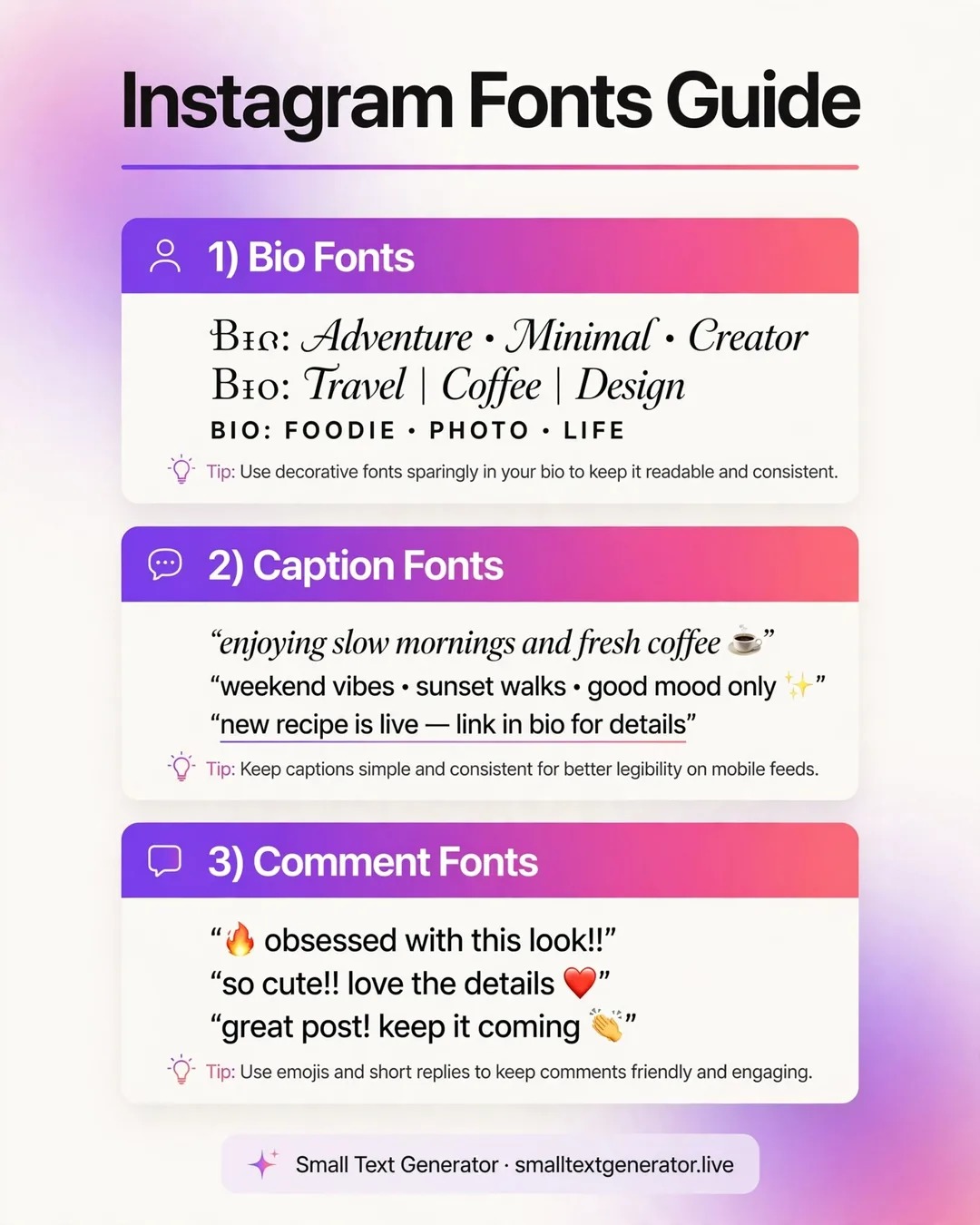
Best styles for each part of Instagram
- Bio name line: bold or small caps, readable at a glance and still stylish.
- Bio description: italic or monospace for a softer, personal feel.
- Captions: one styled line as a hook, then normal text for the rest so it stays readable.
- Stories: bubble or gothic for short punchy words, since stories are viewed for seconds.
- Comments: small caps or bold to stand out without shouting.
Will these fonts hurt my reach?
No. Instagram's algorithm does not penalize Unicode text. The only real risk is readability: if followers cannot read your bio in two seconds, they move on. Keep styled text short, and never style your contact info, location, or link labels.
Frequently asked questions
How do I get different fonts on Instagram?
Instagram has no built-in font changer. Instead, use a generator like this one to convert your text into Unicode characters that look like bold, italic, bubble, or gothic fonts, then copy and paste them into your bio, captions, or comments.
Do Instagram fonts work on iPhone and Android?
Yes. Because the output is standard Unicode text rather than an image or installed font, it displays on both iPhone and Android, as well as on desktop browsers.
Can I use these fonts in my Instagram bio?
Absolutely. Bios are the most popular place for them. Paste styled text into the name field or bio description when editing your profile. Keep it to a line or two so your bio stays easy to scan.
Are Instagram font generators free?
This one is completely free with no sign-up and no limits. Type, copy, paste. That is the whole process.
Why do some letters look different after pasting?
A few styles do not include every character in Unicode, so missing letters fall back to your normal text. Font rendering also varies slightly between iOS and Android. Preview on your own phone before saving.