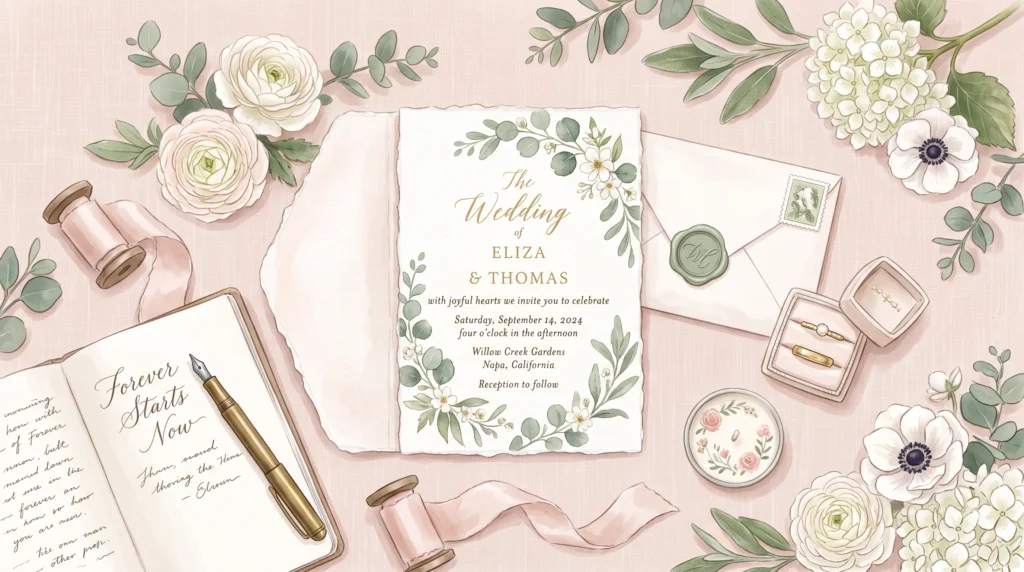
Cursive fonts copy and paste solve a real problem for weddings and social bios alike: no font installs, no licensing to sort through, just script-style text that pastes cleanly anywhere. This guide covers how the trick differs from an actual font file, where it fits naturally into wedding details and bios, and how to avoid the most common styling mistake.
Table of Contents
Why Copy-Paste Cursive Solves a Real Problem
Anyone who has tried to make a wedding invitation, a save-the-date graphic, or a heartfelt Instagram caption look a little more special has probably run into the same wall: your phone or design app only offers a handful of built-in fonts, and none of them capture that soft, romantic, handwritten feeling you’re picturing. Downloading a script font usually means digging through licensing terms, installing files, and hoping the app you’re using even supports custom fonts in the first place.
Copy-paste cursive text skips all of that. Instead of installing anything, you type your words into a generator, get back script-style characters instantly, and paste them exactly where you need them — a caption, a text message, a card, or a bio. No downloads, no fonts, no waiting, which is the whole reason cursive fonts copy and paste feels effortless compared to installing a font.
How It’s Different From an Actual Font File
It helps to understand what’s actually happening here, since it isn’t quite the same thing as picking a calligraphy font in a design program. A generator swaps your letters for lookalike characters that already exist inside the Unicode standard, the system responsible for making text display consistently across every device. That means the script “font” you’re copying isn’t a font at all — it’s a set of individual characters that happen to look like flowing handwriting, which is also why they paste cleanly into places that would normally reject a custom font entirely.
If you want the fuller explanation of how this text standard works behind the scenes, our overview of what Unicode text is and why it works everywhere breaks it down without getting overly technical.
Why This Matters for Wedding Details
Wedding invites, in particular, often get typed into tools that don’t support font uploads at all, like a simple text message, a group chat announcement, or a basic online invitation template. Because copy-paste cursive is just text, it works in every one of those places without any extra setup, which is the whole appeal of cursive fonts copy and paste for wedding details.
Using Cursive Text for Wedding Invitations and Announcements
A few practical ways couples use this style for wedding-related content:
- Typing the couple’s names in script for a digital save-the-date shared on social media.
- Adding a script-style wedding hashtag so guests can find and tag their photos consistently.
- Styling a short line like a date or venue name inside an otherwise plain-text invitation message.
- Creating a softer signature line for thank-you messages sent after the big day.
Our cursive font generator is a quick way to try a few script variations for names, dates, or hashtags before deciding which one fits your invitation’s overall look, a good starting point before settling on cursive fonts copy and paste for the final invite.
Using It for Everyday Social Bios Too
Weddings aren’t the only place this style earns its keep. A short script phrase at the start of an Instagram or TikTok bio gives an otherwise plain profile a bit of warmth and personality, especially paired with a simple tagline underneath. If your focus is more on building a distinctive personal brand or username rather than an event, our guide to creating eye-catching usernames with fancy text covers a wider range of styles beyond just script for that purpose, each a natural fit for cursive fonts copy and paste in a wedding context.
Cursive vs. Genuine Handwriting Fonts
It’s worth knowing upfront that copy-paste cursive and an actual downloaded handwriting font aren’t interchangeable, even though they look similar at a glance. We go through the practical differences, including character coverage and where each option works best, in our comparison of cursive text generators against real handwriting fonts, which is worth a look before you commit to one approach for something as permanent as wedding stationery.
Mixing Script With Plain Text the Right Way
One mistake people make when they first discover copy-paste cursive is styling an entire paragraph in script, which usually backfires. Long stretches of script text are noticeably harder to read on a small screen than a single name, date, or short phrase, so the most effective invitations and bios treat script as an accent rather than the whole message. A good rule of thumb is to style only the part you want a guest or follower to notice first — a couple’s names, a single hashtag, or a short greeting — and leave the surrounding details, like the venue address or RSVP instructions, in plain text for easy reading.
Testing Before You Commit
Because invitations often get printed, shared as images, or pasted into formats you can’t easily edit later, it’s worth pasting your chosen script text into the actual final destination and reading it back at the size guests will actually see it. What looks elegant in a generator’s preview box can occasionally feel cramped once it’s shrunk down onto a phone screen or a printed card, so a quick test costs nothing and can save a reprint.
A Quick Word on Compatibility
Because these script characters live inside the same universal system used for basic punctuation and emoji, they display correctly on nearly any modern phone, tablet, or computer, a fact documented directly in the official Unicode character charts. Occasionally an older device or a very plain text field will show a small blank box instead of the intended letter, so it’s always smart to test your finished text on the actual platform you plan to use before printing anything or sending it to a large guest list.
Cursive handwriting itself carries a long, well-established history, something the Wikipedia article on cursive covers in detail if you’re curious where the style originally came from, worth knowing given how far back cursive fonts copy and paste actually trace their visual roots.
Give Your Words a Little More Warmth
Whether you’re announcing a wedding date or just refreshing a tired bio, script-style text is one of the easiest upgrades available with zero design skills required. Type your phrase, preview a few variations, and copy the one that feels right — it’s ready to paste the moment you find it, proof that cursive fonts copy and paste stay just as useful outside of weddings.
Frequently Asked Questions
Are cursive fonts copy and paste the same as a real script font?
No. Cursive fonts copy and paste rely on separate Unicode characters that look like handwriting, rather than an actual font file, which is why they paste cleanly into apps that don’t support custom fonts at all.
Is it safe to use cursive fonts copy and paste for wedding invitations?
Yes, though it’s worth testing the final text at the size guests will actually see it, since script characters can occasionally render as a blank box on an older device, the safest way to make sure cursive fonts copy and paste hold up for a large guest list.
How much of an invitation or bio should use cursive fonts copy and paste?
Treat it as an accent rather than the whole message. Style just the couple’s names, a hashtag, or a short greeting, and leave details like addresses in plain text for easy reading, the golden rule for using cursive fonts copy and paste without overdoing it.