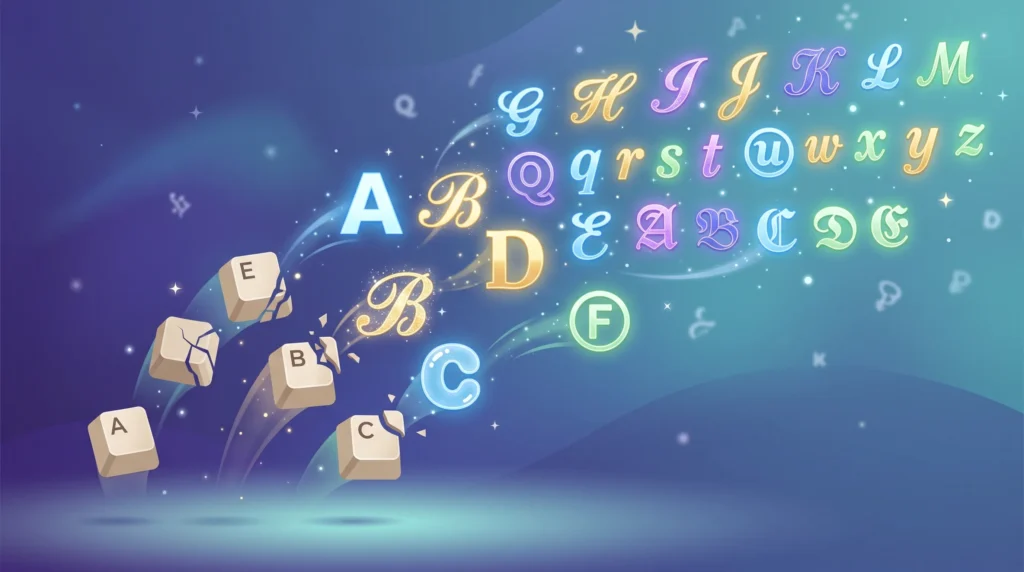
Font generator websites can feel like magic the first time you use one, turning plain typed letters into swirly script or bold block characters in an instant, but there is no actual font-swapping happening behind the scenes. This guide explains the Unicode trick that makes these tools work, where that approach runs into limits, and how to use the output responsibly so it still reads well for everyone.
Table of Contents
If you have ever pasted a string of fancy letters into an Instagram bio or a Discord nickname and wondered how that actually works under the hood, you are not alone. Font generator websites look like magic: type “hello,” pick a style, and suddenly you have swirly script or bold block letters ready to copy anywhere. But there is no real font-swapping happening at all. What is actually going on is a clever bit of text substitution using the Unicode standard, and understanding it will help you use these tools more effectively.
The Big Misconception: These Aren’t “Fonts” in the Traditional Sense
When most people hear the word “font,” they think of something like Times New Roman or Helvetica — a typeface applied to regular text by whatever app you’re using. Fancy text generators don’t do that. Social media platforms like Instagram, TikTok, and X don’t let you upload or select custom fonts for your bio or username. Instead, these generator tools sidestep that limitation entirely by using characters that already exist inside the Unicode standard but simply look like styled letters, which is the trick most font generator websites rely on.
What Unicode Actually Is
Unicode is a massive, universal character-encoding system that assigns a unique number to every letter, symbol, and character across virtually every writing system in the world. It was developed to solve a real problem: before Unicode, different computer systems used different encodings, so text created on one machine could turn into garbled nonsense on another. The Unicode Consortium maintains this standard and continues to add new characters, symbols, and even emoji to it every year.
Buried within that enormous character set are entire blocks of mathematical alphanumeric symbols — bold, italic, script, double-struck, monospace, and more — that were originally intended for typesetting math and physics notation. They were never meant to be a “font picker” for social media, but they happen to look stylistically different from standard letters, and that is exactly what font generator sites exploit, a limitation worth knowing before trusting font generator websites for every character.
How the Conversion Actually Happens
When you type a sentence into a text generator and select “bold script” or “bubble text,” the tool runs a simple lookup behind the scenes. Each letter you typed gets matched to its corresponding character in one of those special Unicode blocks. The letter “A,” for example, has an entirely separate bold mathematical counterpart sitting at a different code point, and a separate bubble-enclosed counterpart, and so on. The generator swaps your plain letters for these look-alike characters and hands you back a new string that appears stylized but is technically still just plain text.
This is why you can copy the output and paste it literally anywhere — a text field, a caption box, a messaging app — without needing any special formatting support. The “style” is baked directly into the characters themselves, not applied as a layer on top of them.
Why This Approach Has Limits
Because these tools rely on borrowed Unicode blocks rather than a genuine typographic font, there are only so many letters, numbers, and symbols available in each style. Some styles only have alphabetic characters and skip numbers or punctuation entirely. Others render differently depending on your device’s installed fonts, which is part of why bold, italic, and bold italic Unicode text can look subtly different from platform to platform even though they’re built the same way, one of the more practical reasons people turn to font generator websites.
Practical Ways People Use Unicode Text Converters
- Making a username or bio stand out visually without needing design software
- Adding emphasis to a specific word in a caption when italics or bold formatting isn’t otherwise supported
- Creating a consistent aesthetic across a brand’s social profiles
- Styling gaming handles or Discord server names for a more distinctive look
Because the whole system runs on standardized code points rather than proprietary fonts, this trick works basically everywhere text can be typed — a huge part of its appeal.
Accessibility and Readability Considerations
It’s worth noting that heavily stylized Unicode text can cause real problems for screen readers and assistive technology, since those tools are built to interpret standard letters, not mathematical symbol look-alikes. The W3C’s internationalization guidelines emphasize that content should remain understandable across devices, languages, and assistive tools, so it’s smart to reserve heavy styling for short, decorative bits of text — a bio line or a username — rather than long paragraphs someone actually needs to read comfortably.
Getting the Most Out of a Text Converter
If you’re building out a full profile, it helps to see the range of what’s possible before committing to one look. Our complete guide to copy-and-paste text styles walks through the major categories, and if Instagram specifically is your focus, our Instagram username style guide breaks down which styles tend to read best in a profile name versus a caption, a factor font generator websites can’t really work around.
At the end of the day, understanding the mechanics doesn’t take any of the fun out of it — if anything, it makes picking the right style easier. Head over to our free unicode text converter to type your own phrase, preview it across dozens of styles instantly, and copy whichever version fits your vibe.
Frequently Asked Questions
Do font generator websites actually create new fonts?
No. Font generator websites map your letters to existing Unicode characters that already look stylized, so nothing is installed and no new font is created, which is exactly why font generator websites recommend using styling sparingly.
Why do some styles from font generator websites look different on other devices?
Because the styling is baked into Unicode characters rather than a real font, rendering can vary slightly depending on which fonts a device already has installed.
Are font generator websites safe to use for accessibility?
They work best for short decorative text like a bio or username, since heavily stylized Unicode can be hard for screen readers to interpret in longer passages.