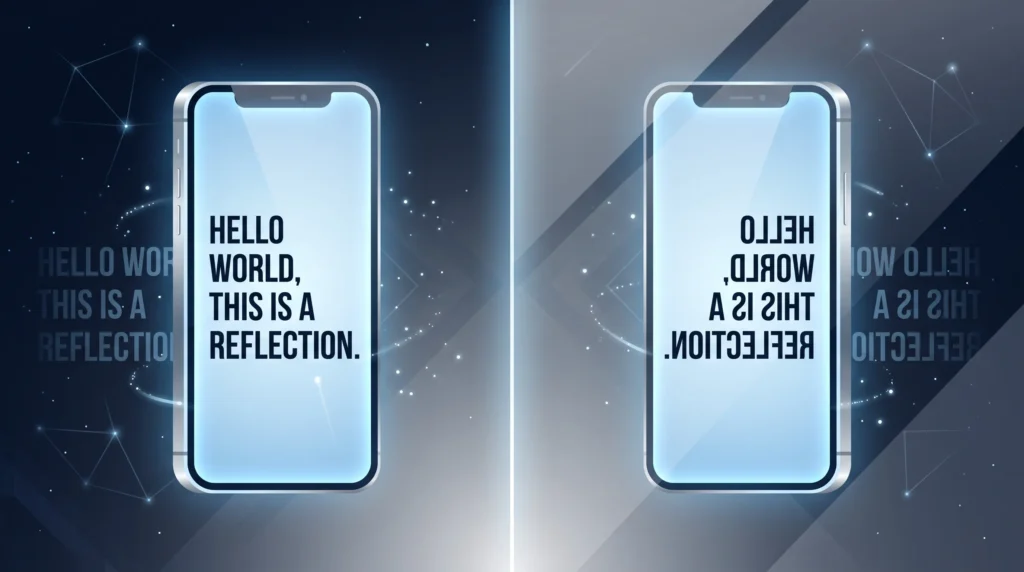
A mirror text generator flips your sentence the way a reflection in glass would, reversing the letter order and swapping each character for a Unicode lookalike that is visually mirrored, so the whole line reads backwards from left to right. That is a different trick from upside down text, which rotates letters 180 degrees instead. This guide covers how the mirroring actually works under the hood, why some letters mirror perfectly while others do not, and how to combine the effect with other styled text.
Table of Contents
Mirror Text Isn’t the Same Trick as Upside Down Text
A lot of people use “mirror text” and “upside down text” interchangeably, but they are actually two different transformations, and understanding the difference makes it much easier to pick the right effect for what you are trying to say. Upside down text rotates each character 180 degrees, so it reads correctly only when the whole thing is flipped vertically, like turning a page over. Mirror text instead flips everything left to right, the same way a reflection in a mirror or a piece of glass would show your words backwards, with the last letter of your sentence appearing first.
Both effects rely on the same underlying idea, though: swapping ordinary letters for lookalike Unicode characters that happen to be shaped like a flipped version of the original, exactly the swap a mirror text generator performs automatically.
How a Mirror Text Generator Actually Builds the Effect
When you type a sentence into a mirror text generator, the tool does two things at once. First, it reverses the order of your letters so the sentence reads backwards. Second, it swaps each letter for a Unicode character that is visually flipped horizontally wherever a lookalike character exists, so the letters do not just appear in reverse order but each one is individually mirrored too. Not every letter has a perfect mirrored counterpart in Unicode, so some letters get replaced with the closest visual match available, which is why a few characters in mirrored text look slightly stylized compared to the original alphabet.
Why Some Letters Mirror Perfectly and Others Don’t
Certain letters, like the capital A or the letter O, look essentially identical whether mirrored or not, so those come through cleanly every time. Letters with clear directionality, like a lowercase “b” or “d,” need an entirely different symbol to represent their flipped shape, since Unicode does not include a dedicated “backwards Latin letter” for every single character. This is the same broader category of character substitution used across most stylized text generators, and it connects to the same combining and lookalike character concepts explained in the Wikipedia entry on combining characters.
What People Actually Use Mirror Text For
- Creating a genuinely eye-catching bio or username that visually breaks the pattern of every other profile in someone’s feed
- Writing a “secret message” caption meant to be read by holding a phone up to an actual mirror or a reflective surface
- Adding a puzzle or riddle element to a post, where followers have to work out what the reversed sentence says
- Styling a gaming clan tag or Discord nickname with a look nobody else in the lobby has
- Standing out in a crowded comment section where every other reply is plain text
Mirror Text vs. Upside Down Text: Choosing the Right One
If your goal is a sentence that someone could theoretically flip their whole phone over to read normally, an upside down text generator is the better fit, since that effect is built specifically for a 180-degree rotation. If instead you want the classic “reflection in glass” look, where the sentence reads backwards left to right rather than flipping top to bottom, mirror text is the more accurate choice. Plenty of people actually use both across different posts depending on the joke or aesthetic they are going for that day, a detail that shapes what a mirror text generator can and cannot mirror perfectly.
Combining Mirror Text With Other Effects
Mirror text often gets paired with a second stylistic element rather than standing completely on its own. A common combination is mirroring the main line of a caption while leaving a short, normal-reading tagline underlined underneath it, which creates a nice visual contrast between the flipped headline and the plain, emphasized detail below it.
Does Mirror Text Work Everywhere?
Mirror text is plain Unicode, so it copies and pastes into nearly any app that accepts standard text input, including Instagram, TikTok, X, and text messages. Rendering consistency depends on the font each platform uses, which is why a mirrored letter might look ever so slightly different on an iPhone versus an Android device. If you specifically run into display issues inside Discord nicknames or messages, their official support resources are the best place to check current character-handling behavior for that app, a distinction worth knowing before picking a mirror text generator over the alternative.
Going Beyond a Single Mirrored Sentence
Once mirror text clicks for you, it is worth exploring the wider range of copy-and-paste styling tricks that use this same swap-the-character approach, since most of them can be mixed and matched in a single bio or caption. This guide on creative ways to use a small text generator is a solid next stop if you want to layer smaller stylistic touches alongside your mirrored lines, one more pairing that works well with a mirror text generator’s output.
A Reflection Worth Sharing
Mirror text takes something as ordinary as a sentence and turns it into a tiny puzzle worth a second look. Whether you are hiding a message, building a distinctive username, or just enjoying how unusual it looks in a feed full of plain captions, generating it takes seconds and the effect sticks with people far longer than a normal line of text ever would.
Frequently Asked Questions
Is a mirror text generator the same as upside down text?
No. A mirror text generator flips a sentence left to right like a reflection, while upside down text rotates each letter 180 degrees so it reads correctly only when flipped vertically, a quick check worth running before trusting a mirror text generator in Discord.
Why do some letters look odd after using a mirror text generator?
Not every letter has a perfect mirrored counterpart in Unicode, so a few characters get replaced with the closest visual match available, which can look slightly stylized compared to the original alphabet, a natural next step once a mirror text generator has done its job.
Does mirror text work on every platform?
Mostly, since it is plain Unicode that pastes into nearly any app accepting standard text input. Rendering can vary slightly by device, since each platform uses its own font to display the characters, the same appeal that keeps people coming back to a mirror text generator.