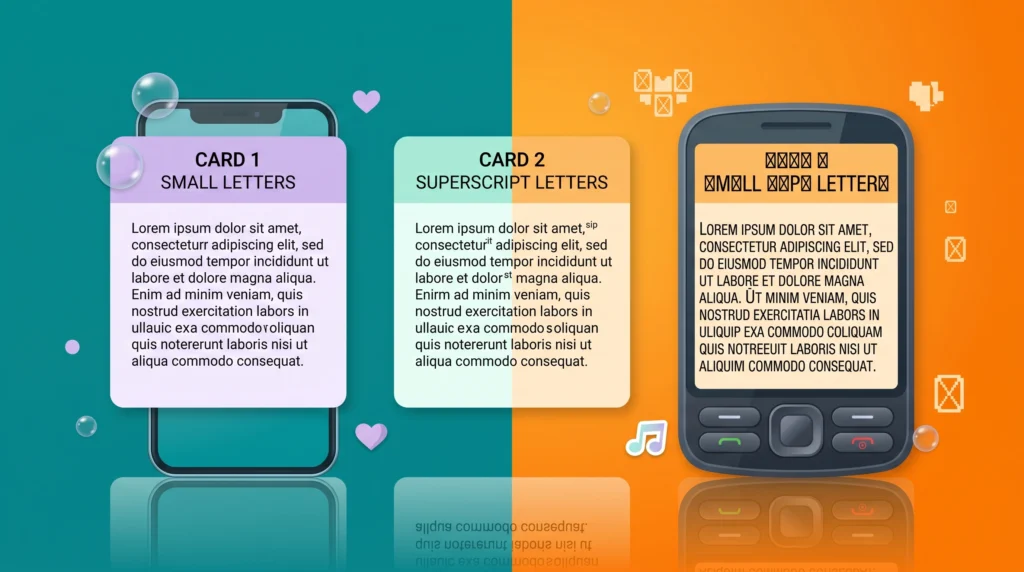
Not every app displays styled text the same way, and that’s exactly what this small text generator compatibility guide is about. If a phrase you copied shows up as boxes or question marks somewhere, it almost never means the tool is broken, it usually means that specific app, browser, or device isn’t rendering that set of Unicode characters yet. Working through small text generator compatibility issue by issue is faster than guessing, and it usually takes less time than retyping the whole bio from scratch.
Table of Contents
When Small Text Suddenly Stops Working
You copy a beautifully styled small-text phrase, paste it into your bio, hit save, and instead of the sleek tiny letters you expected, you see a row of little boxes or question marks. It’s a frustrating moment, and it’s more common than most people realize. The good news is that this almost never means the generator “broke,” it usually means a specific app, browser, or device isn’t rendering that particular set of Unicode characters the way you’d hoped. Understanding why helps you fix it fast instead of assuming the whole idea is broken.
Why Some Apps Render Small Text Perfectly and Others Don’t
It Comes Down to Font Support
Every device relies on font files to actually draw each character on screen, and while the Unicode standard defines what a character means, it doesn’t guarantee every font includes a matching glyph for every single character. Small caps and superscript letters are a fairly obscure corner of the character set, so some system fonts, particularly on older phones or budget Android devices, simply don’t have a picture for them. When that happens, you get the dreaded empty box instead of the letter.
Some Platforms Filter Characters on Purpose
A handful of apps actively sanitize or strip unusual characters from usernames and bios as a spam-prevention measure, since bad actors have historically abused unusual Unicode ranges to dodge filters. This is less common than font-support issues, but it does explain why a style that works fine in a caption might get rejected outright in a username field on the same app, which is really just another small text generator compatibility quirk to work around.
Platform-by-Platform Quick Notes
- Instagram and TikTok bios: generally excellent support for small caps and tiny text on modern phones.
- Twitter/X: broadly reliable, though some third-party client apps render certain characters differently than the official app.
- Discord: very permissive, which is part of why stylized names are so common there, though usernames specifically have tighter character rules than server nicknames.
- Older devices and some in-game name fields: the most likely spots to see missing glyphs, since these often use narrower, older font sets.
How to Test Before You Commit to a Style
Before locking in a stylized username or permanent bio line, paste the result somewhere low-stakes first, like a private note to yourself or a draft message, and view it from a second device if you can. If it renders cleanly there, it will almost certainly render cleanly for the people viewing your profile too, since most of your audience is on relatively current phones and apps.
What to Do If a Style Doesn’t Work
If a particular small-text style shows up broken, the simplest fix is to try a different variant rather than abandoning the idea altogether. Small caps and superscript characters come from different Unicode blocks, so one might render perfectly while the other doesn’t on a given device. Running your phrase back through the tiny text generator and testing each output option individually usually turns up at least one style that displays cleanly everywhere you need it to, which is really just another small text generator compatibility quirk to work around.
Building a Bio That’s Compatible From the Start
If compatibility is a top priority for you, it helps to lean on styles with the broadest support and to keep stylized phrases short. Our style guide for small text in TikTok and Twitter bios covers layout patterns that tend to hold up well across devices. Our deeper dive into how tiny text generators actually make text smaller explains exactly which character sets are the safest bets when compatibility matters more than novelty.
A Related Fix for Gamers
If you came here because a stylized name isn’t showing up correctly in a game or on Discord, it’s also worth browsing our collection of fancy copy-and-paste font styles for Discord names, since some fonts in that category tend to have noticeably better cross-platform support than others, which is really just another small text generator compatibility quirk to work around.
The Root Cause, in Plain Terms
All of this traces back to how broad and varied the Unicode character standard really is. That standard is overseen by the Unicode Consortium and covers an enormous range of characters, only some of which every font bothers to fully support. It’s less a flaw and more a natural side effect of a standard trying to represent nearly every writing system on Earth.
A Few More Troubleshooting Habits Worth Keeping
It’s also worth double-checking that the issue is actually a rendering problem and not a copy-paste error. Some apps automatically trim trailing spaces or strip certain characters the moment you paste text into a name field, so a style that looked complete in the generator can arrive missing a letter or two once it’s saved.
Re-copying the text and pasting it again, this time checking the field carefully before hitting save, resolves this more often than people expect. If a problem persists across multiple styles and multiple attempts, it’s usually specific to that one app rather than to Unicode text generators as a category, and switching to a simpler style, or a plain bold or italic variant instead of small caps, is often the quickest workaround, which is really just another small text generator compatibility quirk to work around.
Don’t Let One Glitch Scare You Off
A single broken character isn’t a sign that small text generators are unreliable, it just means that one specific style needs swapping for another. With a little testing, you’ll land on a combination that looks exactly the way you want, everywhere your audience actually sees it.
Frequently Asked Questions
Why does small text generator compatibility vary so much between apps?
Every app and device ships with its own font files, and not all of them include glyphs for every Unicode block. Small text generator compatibility depends on whichever character set a given app’s font actually supports, which is why the same phrase can look perfect on one platform and broken on another.
Is there a quick fix for small text generator compatibility problems?
Usually, yes. Try a different style from the same generator, since small caps and superscript characters come from separate Unicode blocks and one often renders where the other doesn’t. That single swap resolves most small text generator compatibility complaints without any other changes.
Will small text generator compatibility improve over time?
Slowly, yes. Font and app support for wider Unicode coverage keeps expanding, so small text generator compatibility tends to get a little better each year rather than staying fixed, though older devices will always lag behind newer ones.